How to Download TikTok Videos Without Watermark with SnapTik
TikTok is currently the most popular short-form video social network, with millions of new videos shared daily by users worldwide. While it is a massive archive of creative and entertaining content, the official app's direct save feature often includes annoying logos and user IDs. This presents a major obstacle for those looking to perform professional video editing or resharing high-quality content on other social platforms.
SnapTik.me is the perfect solution for you, allowing you to save any TikTok video without watermarks in the best quality (up to 4K). This tool is completely free, secure, and works directly in your browser without the need for software installation or account registration.
Follow these simple steps to save any TikTok video without watermarks using SnapTik:
Step 1: Copy the TikTok video link
Step 2: Go to SnapTik.me
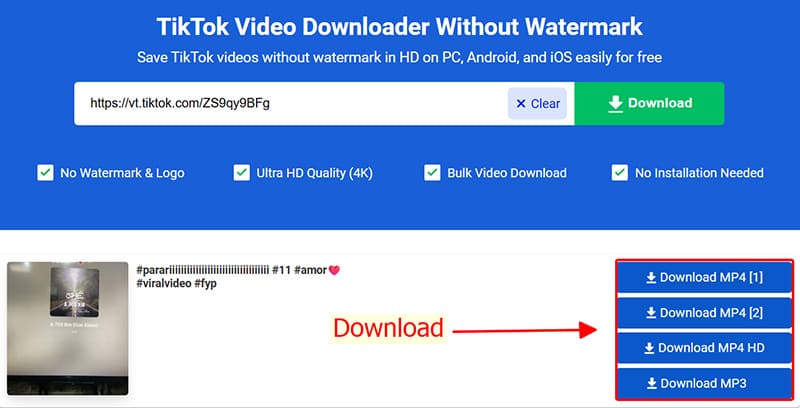
Step 3: Paste link and Process
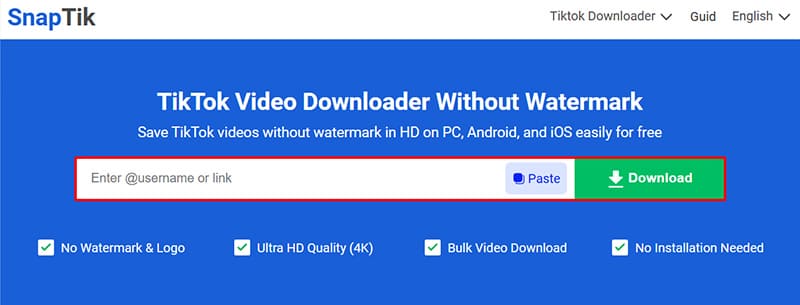
Step 4: Select Quality and Download
Pro-tips for a smooth experience with SnapTik
- ✔ Device Compatibility: SnapTik works perfectly on Android, iOS, Windows, and macOS.
💡 For Apple Users (iPhone/iPad)::
- 📂 Where are my videos saved? Downloaded files are typically found in your browser's Downloads folder. On mobile, look in the Files app or check your browser's download history.
Copyright & Content Usage Disclaimer
SnapTik respects intellectual property rights. All downloaded videos are for personal, offline use only. If you intend to reuse or share the content for commercial purposes, please obtain explicit permission from the original creator to avoid any potential legal issues.